
Global Coffee Chat: Interpretation
For the main sessions of the Global Coffee Chat, we are trialling an AI interpretation tool – Interprefy.
To access Interprefy, follow these steps:
1: Download and open the Interprefy app by scanning the QR code below.

You can also look for Interprefy on your app store.
2: Open the app and give your device permission to access your microphone.
3: Add the Token: S-wycliffenows and press ‘connect’.
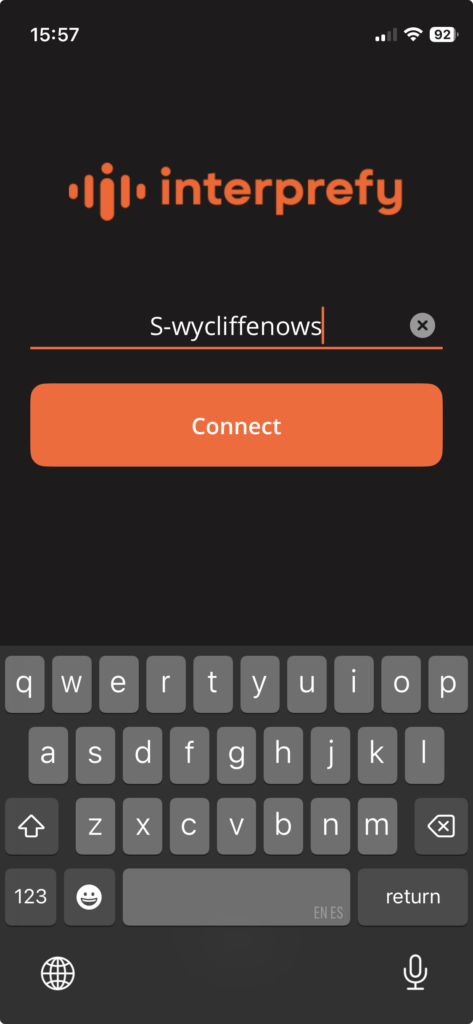
4: The PIN or password will be provided when you log into the Global Coffee Chat meeting on Zoom.
5: Select your speaking and reading (CC) language.
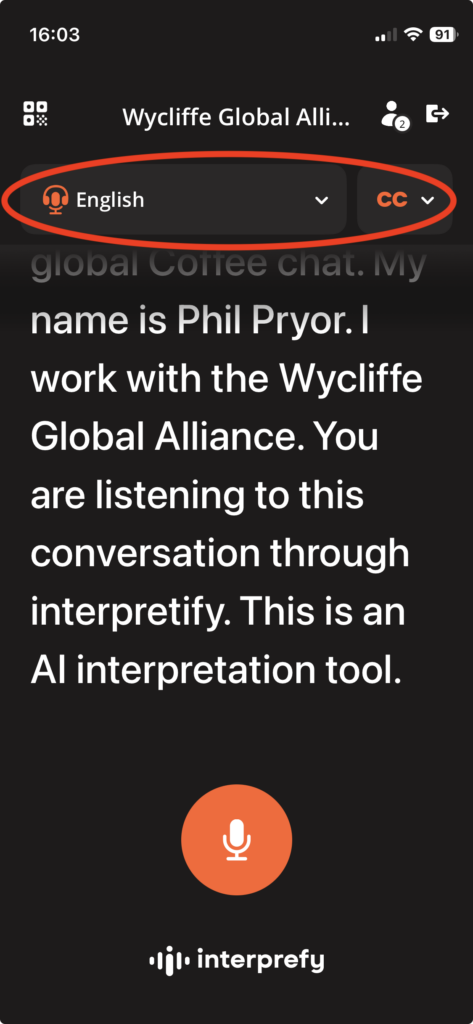
6: To follow the presentations, you can read the text on your screen or listen to the interpretation through headphones.
Important notes
AI translation is not perfect but it continues to improve. We are interested in receiving your feedback after the event.
As this is a new tool and we are learning how it works, we will not use it in breakout rooms.
For those presenting
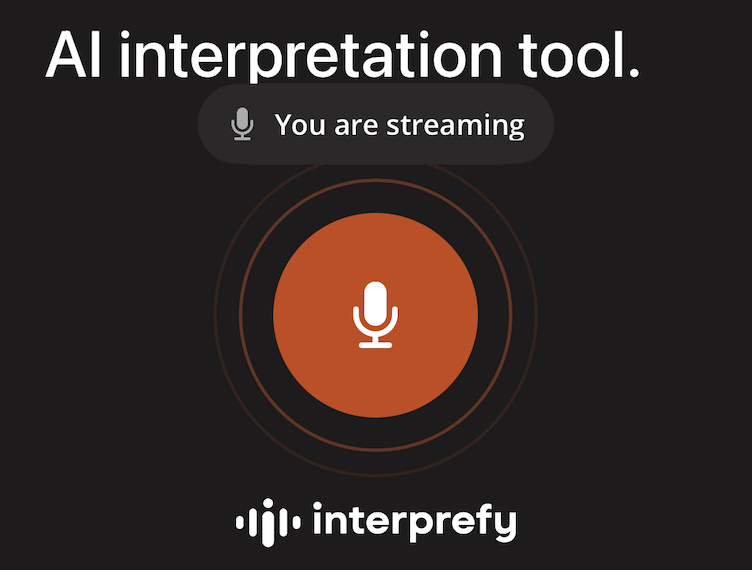
When you need to speak, you must turn your microphone on. You cannot do this when someone else is streaming.
When you press the button, the image will change to say ‘You are streaming’ and a thin circle will appear around the microphone icon.
When you finish speaking, you need to turn your microphone off so the next person can take over.